 Download
one of these specific language files:
Download
one of these specific language files:
Installation
- step by step:
- Unzip the
downloaded file
- Upload the
file guestbook_own.lang
to the guestbook folder (tdpn_v_10_dir)
on your server
- Chmod 777
Is your
language not available?
If your
language is not available, do the steps below to make
your own language file:

- Create a
new text file and rename it to guestbook_own.lang.
Note: the extension of the file must be .lang
- Download
and open the guestbook file guestbook.lang
with a text editor like Notepad
- Copy the
content of guestbook.lang and paste it to the new
and empty file guestbook_own.lang
- Edit the
text inside the ="
"= areas (don't change anything
outside)
- Save and
upload the file guestbook_own.lang
to the guestbook folder on your server
- Chmod 777
- Please [send
me] your self-edited language file if you want
to share it with other FPG users. Thanks in advance!
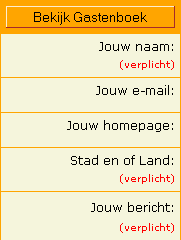
Now enter the
Control Panel of your guestbook and you'll see a new
option (Other Language) on the language menu like the
example below:
Choose
"Other Language" and click "Save
Preferences" That's
all you have to do to install a new language!
|


